With this integration, you can connect your stromleser.one to our app. Your power consumption will then be automatically sent to us every minute.
Only for stromleser.one
This integration is only possible with stromleser.one devices.
Part 1: Create a Push API in our app
Step 1: Open the device overview
- Open our app
- Go to the Devices section
Step 2: Add a new device
- Tap Add device
Step 3: Select the metering system
- Select the Metering system option
Step 4: Select consumption measurement only
- Select Consumption measurement only
Step 5: Select Push API
- Select stromleser as the connection method
Step 6: Accept terms of use
- Read and accept the terms of use
Step 7: Copy the Push API key
- Generate a Push API key
- A Push API key will now be displayed
-
Copy this key – you will need it in the stromleser app in the next step
Keep the API key safe
It is best to copy the API key directly to your clipboard. You will need it in the next step in the stromleser app.
Part 2: Set up the connection in the stromleser app
Step 8: Open integrations
- Open the stromleser app
- Go to Settings via the navigation bar
- Tap Integrations
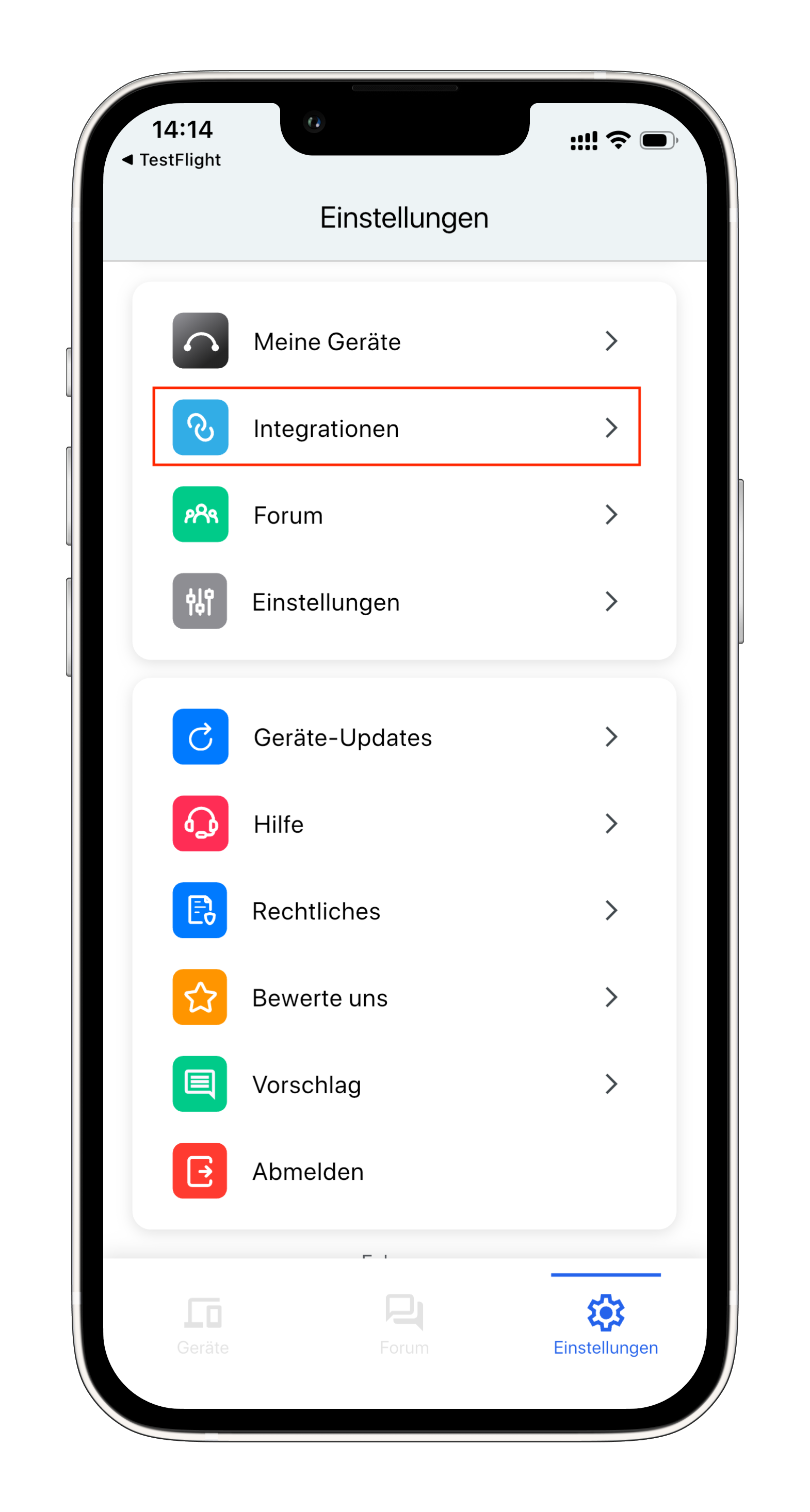
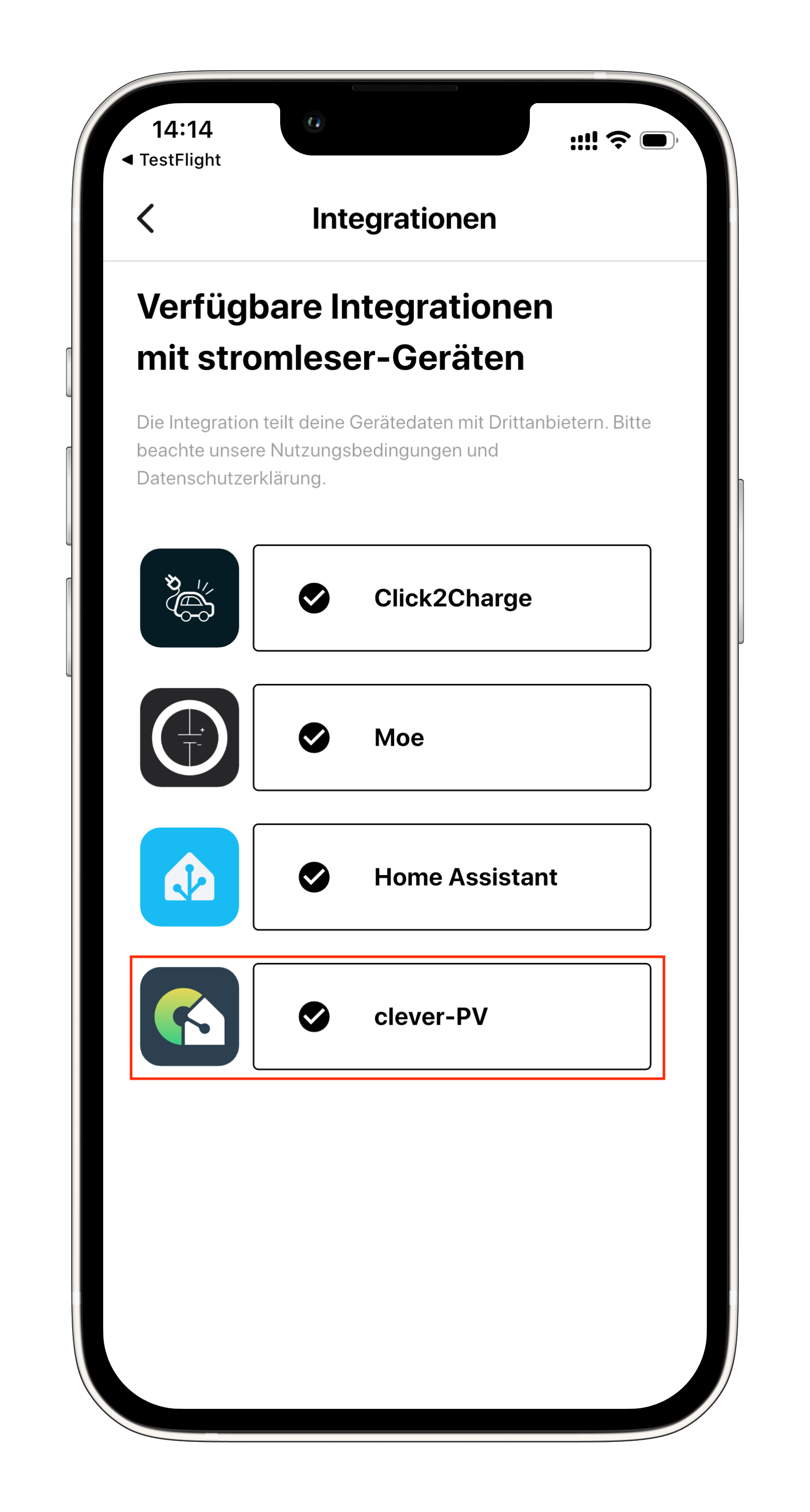
Step 9: Select clever-PV
- Select clever-PV from the list of available integrations
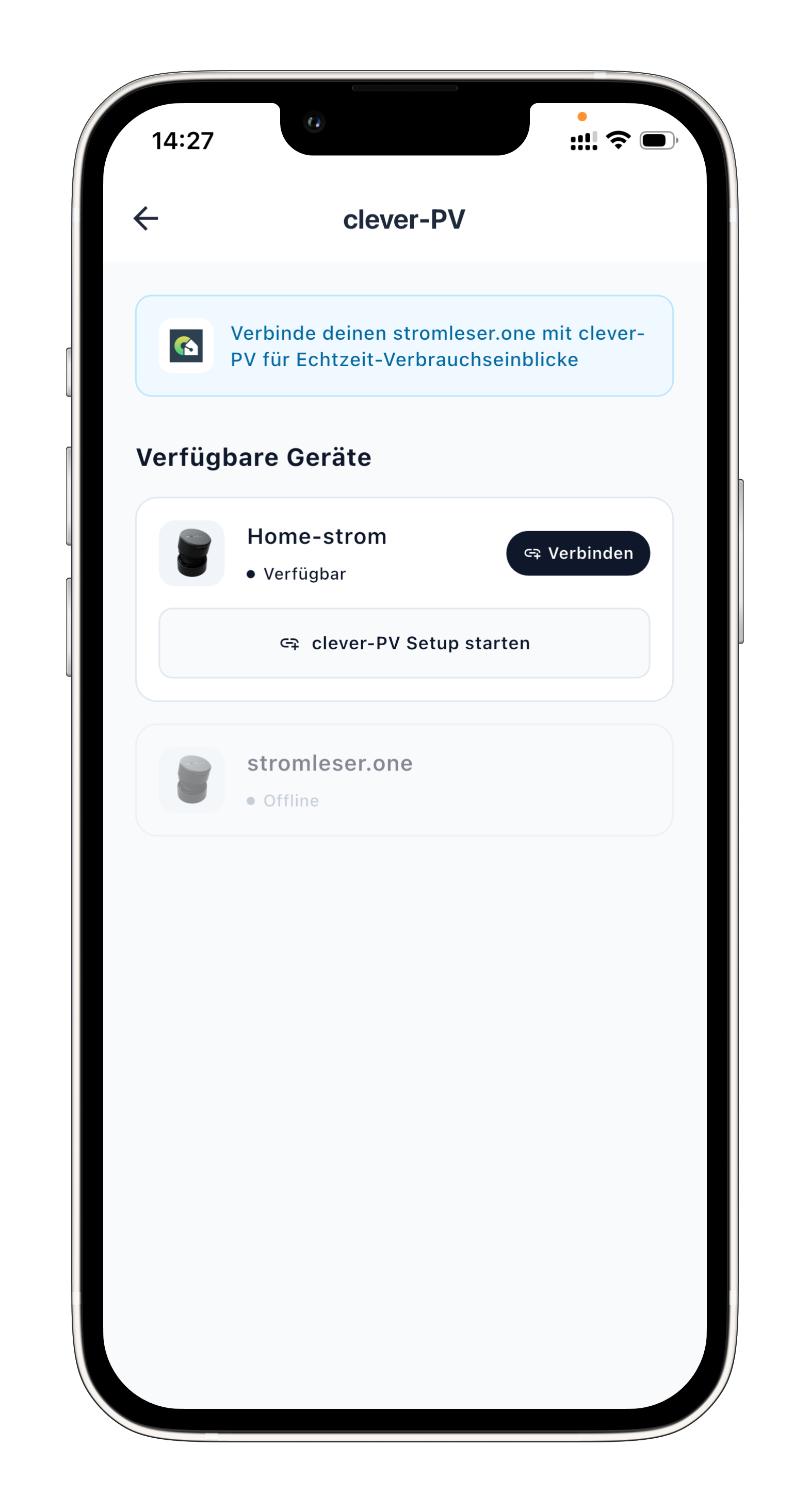
Step 10: Select device
- Select your stromleser.one device that you want to connect to our app
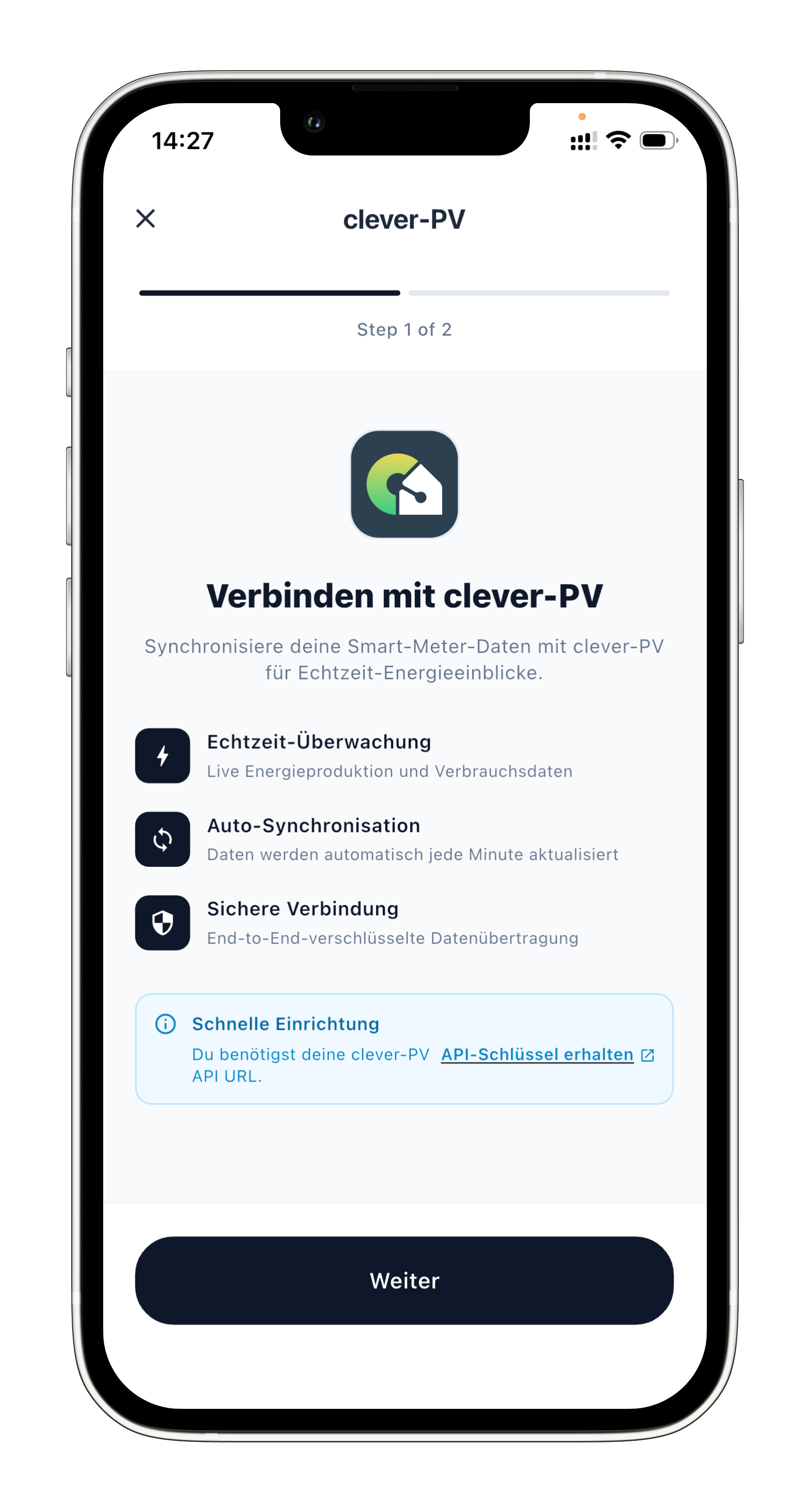
Step 11: Read the integration description
- Read the description of the integration
- Tap Continue
Step 12: Paste and validate the API key
- Paste the Push API key that you copied from our app earlier
- Tap Validate connection
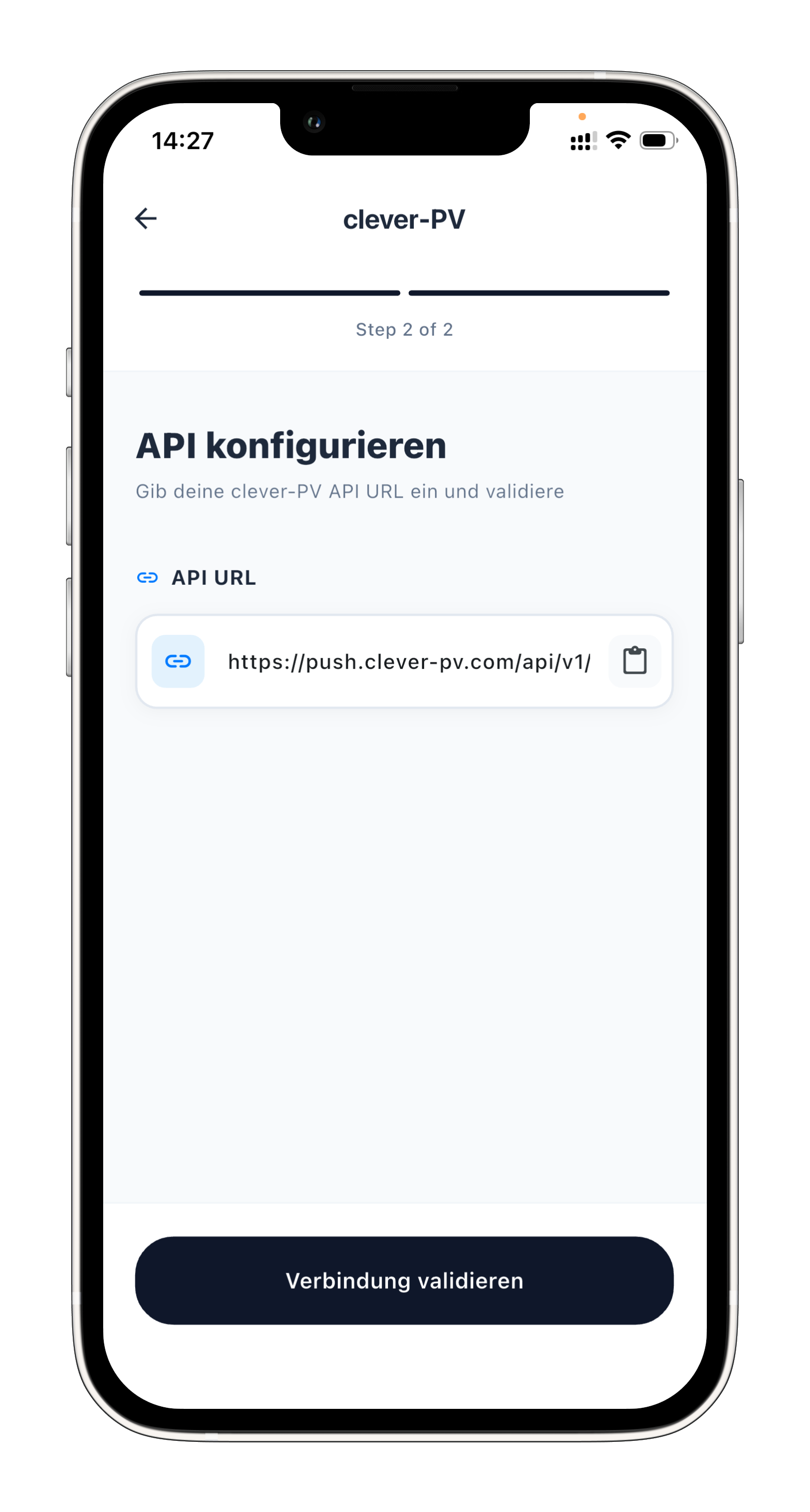
Step 13: Check data in our app
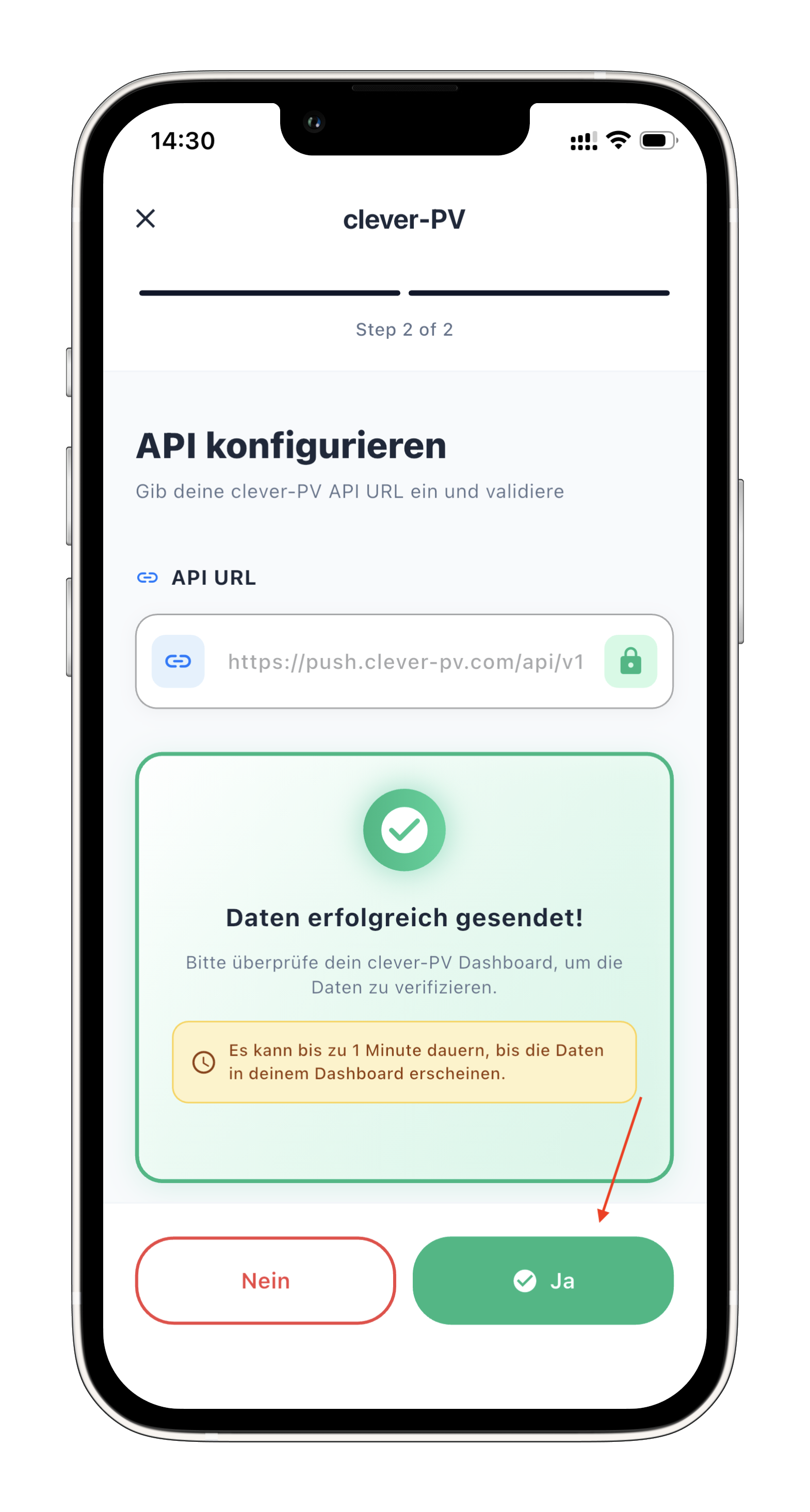
- Check our app to see if data from your stromleser is already arriving

Step 14: Save configuration
- If everything is working and you see data in our app, go back to the stromleser app
- Confirm with Yes to save the configuration
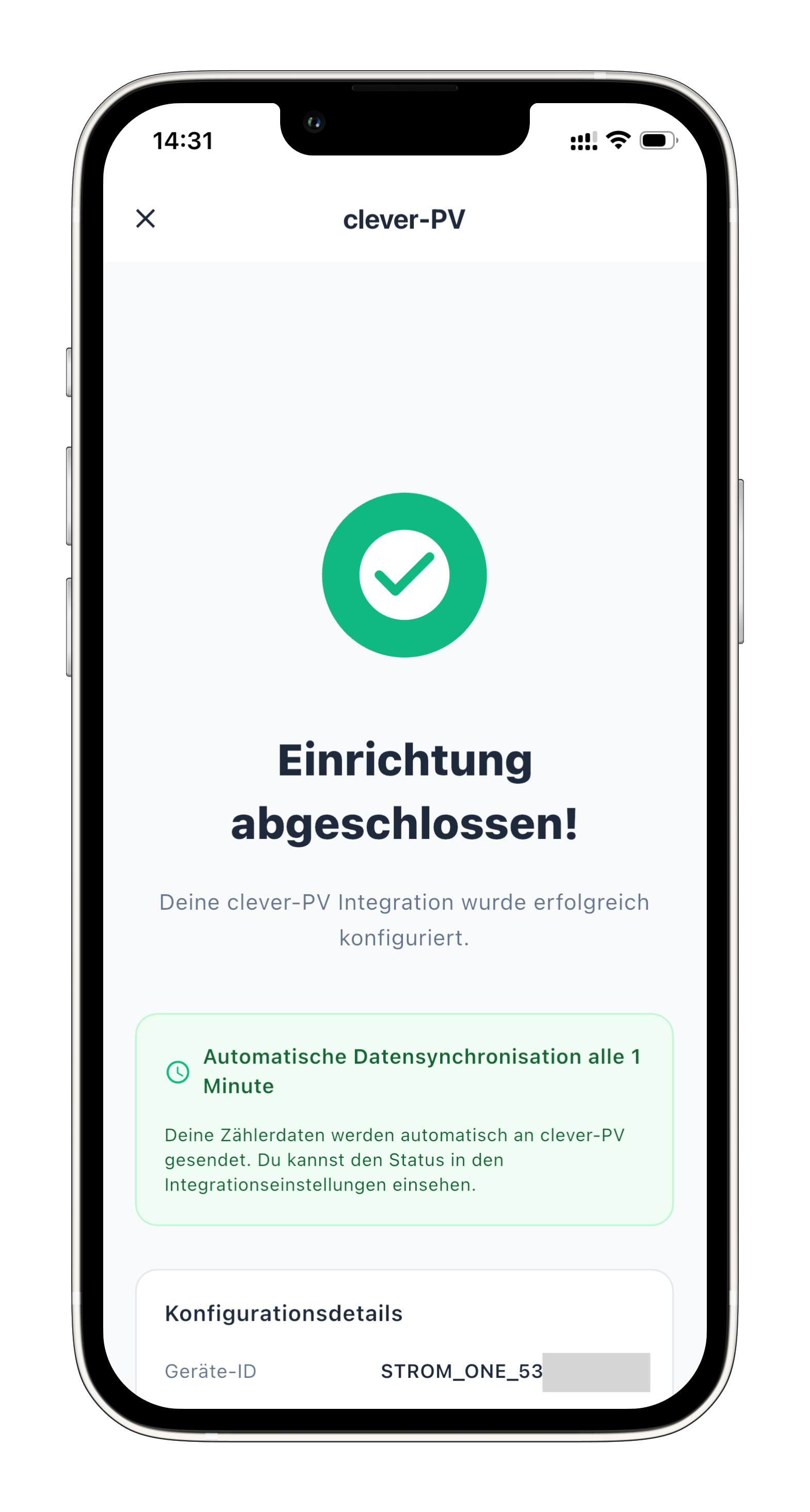
Done!
From now on, your power consumption data will be automatically sent to our app every minute.
Setup complete
Your stromleser.one is now connected to our app. Consumption data is transmitted automatically every minute.
Common issues
Validate connection fails
- Check that you have copied and pasted the API key correctly
- Ensure that you have selected the Push API option in our app
- Check your internet connection
Our app shows no data
- Wait a few minutes after setup – data is sent every minute
- Ensure your stromleser.one is providing current measurement data
- Check the stromleser app to see if measurement values are displayed
API key lost
- You can create a new Push API key in our app under Devices
- After that, you must enter the new key in the stromleser app